
Mobile broadband is high-speed internet access via mobile networks.
Mobile internet technology allows you to do all the things you usually use your broadband connection for, but without needing a fixed-line connection.
This means you can get online whilst on the move, or away from home (perhaps on holiday or at uni). Send an email, visit websites – even watch streaming TV clips and download files – it's all possible.
Mobile broadband: the key points
|
|---|
How does mobile broadband work?
Mobile broadband uses the same signal that serves mobile phones. But you’re only using it for internet access, not voice calls.
What do I need to use mobile broadband?
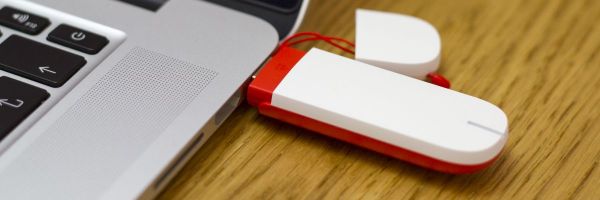
Mobile broadband can be accessed using a small portable USB modem (often called a dongle or stick), a mobile Wi-Fi (aka MiFi) hotspot, or by tethering a smartphone.
Some laptops and tablets also include built-in support for mobile broadband.
USB dongles only work with a compatible desktop or laptop computer. Mobile Wi-Fi and tethering will work with any device that supports wireless networking.
Can I use mobile broadband abroad?
Some mobile internet tariffs have a block, so it's only possible to use them within the UK (this is common with Pay-As-You-Go deals). If not, you can use them in any country supported by your mobile broadband provider.
It used to be expensive, but data roaming prices have come down a lot in recent times, especially in Europe.
Is mobile broadband unlimited?
Most mobile broadband deals aren't unlimited.
When buying a mobile broadband service, it’s important to think about potential usage. Choose a data cap that’s too high, and your money is wasted, but too low, and you could be hit with extra fees for exceeding the limit. Our guide to mobile broadband data usage can help point you in the right direction.
What is 3G, 4G, and 5G?
3G, 4G, and 5G refer to generations of mobile technology.
3G was the first to offer broadband speeds over a mobile network.
4G is the following iteration of mobile networks, which provides vastly improved connection speeds.
5G is the very latest version of mobile technology and can deliver even faster speeds than 4G.
6G is under development.
Should I get 4G, or 5G mobile broadband?
If you’re buying a new mobile broadband service, you should make sure that it supports 5G.
However, 5G coverage is currently limited, so you'll only get a signal in major towns and cities. But you will be able to use 4G when it's not available.
In 2024, EE shut off its final 3G mobile network site. Three and Vodafone are expected to follow suit shortly.
Can mobile broadband be used instead of home broadband?
Mobile broadband, especially 4G and 5G, is fast enough to be a viable alternative to fixed-line home internet. But for many people, it's not the best choice for everyday use. Unlimited home broadband is far better for heavy users and shared homes.
Some providers now offer a hybrid broadband package. This falls back on a 4G signal if there are any technical issues with the main connection.
Three also offers dedicated 4G or 5G Unlimited Broadband deals that are intended for home use.
If you’re interested in finding out more, we have a guide to using mobile broadband at home as well as more information on hybrid broadband deals.
Do I need mobile internet?
Mobile internet is a great option for people who travel a lot or have a long commute to work and need to make the best use of their time. You can get online anywhere with good coverage.
Mobile broadband is also popular with those who don't have a fixed residence, such as students. This is because you can pay for one service but use it at home, in digs, in the library, and even in lectures. Also, with lots of pay-as-you-go (PAYG) options, you don't have to sign your life away. Thanks to mobile Wi-Fi, you can even share your mobile broadband connection!
Are there any downsides to mobile broadband?
There are two main downsides to mobile broadband: connection stability and usage allowances.
Despite its popularity, mobile broadband is still a little behind home broadband. The technology is improving all the time, but right now, it isn't always a smooth ride.
If you need a guaranteed stable, fast connection, you're probably best advised to look for a fixed-line broadband solution — although mobile broadband is a brilliant backup even then.
Speed can also be an issue for some. You'll find that the advertised speeds may not be achieved in practice. As a result, you may struggle with tasks such as big downloads (where download limits may also be a factor), streaming video and audio (such as using Spotify or the BBC iPlayer) or gaming.
Can I cancel my mobile broadband account?
Every mobile broadband provider is different. It's vital you check the terms and conditions of a contract before committing.
Some mobile broadband operators offer a 'cooling-off' period of around two weeks. If you’re unhappy with the level of service, or the network performance, you should be able to return your dongle and cancel your contract without having to pay extra.
If the internet service provider you've chosen doesn't offer this, remember that if you buy online you are covered by the UK's distance selling regulations. This means you can return the product within seven working days if it doesn't meet your expectations.
What happens if I cancel a mobile broadband contract early?
If you want to cancel your mobile broadband before the term is up, you may be responsible for paying the remaining fee for your subscription. This may be waived in exceptional circumstances (such as moving location), but providers deal with these on a case-by-case basis. Unfortunately, stopping payments altogether is very rare.
If you're completely new to mobile broadband, there's always the option of going pay-as-you-go initially to try the service before you commit to a lengthy contract.
Why do we need your address?
We need your address to show you the broadband deals available at your home. This information is gathered in partnership with thinkbroadband.
Read our privacy policy for more details.